Comet, Atlas & Co.: Optimizing Websites for AI-Native Browsers
In short
Agentic browsers read, summarize and act. What brands must change technically and editorially.
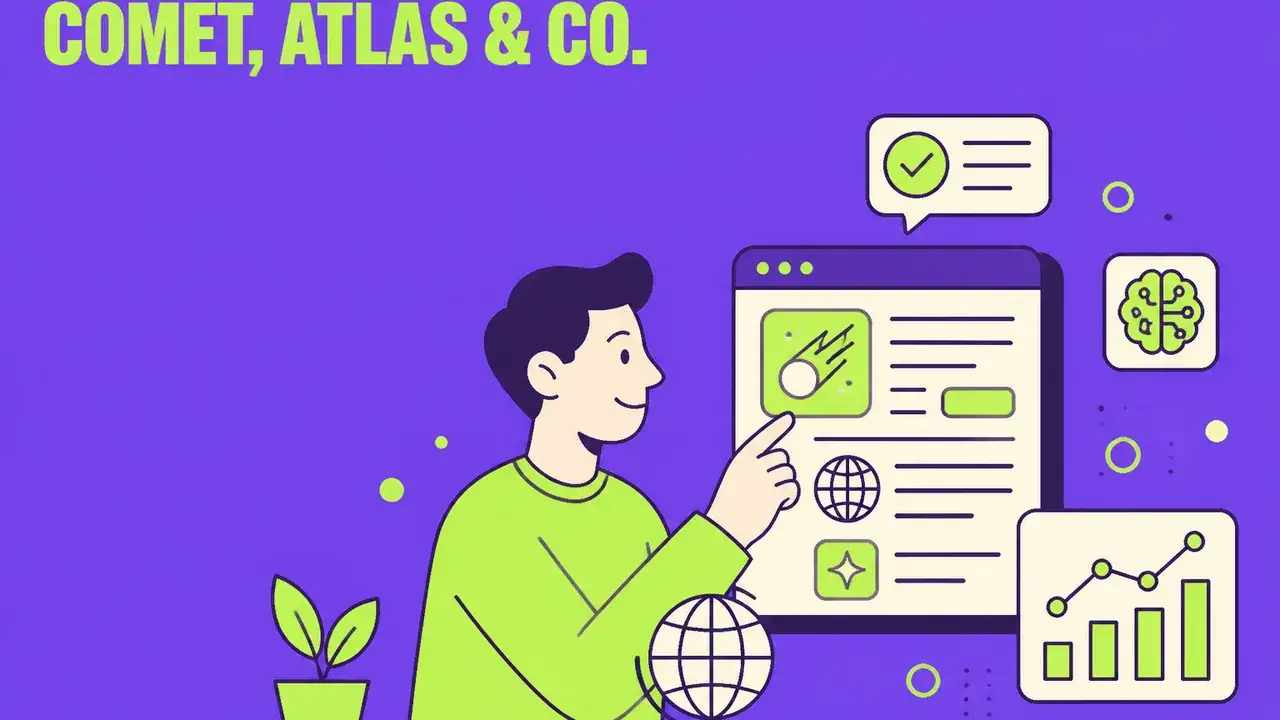
Comet, Atlas & Co.: Optimizing Websites for AI-Native Browsers
The digital landscape for brand interaction underwent a significant paradigm shift in 2026 with the mainstream emergence of AI-native browsers. Platforms such as Perplexity Comet, ChatGPT Atlas, Dia, and Arc have transcended traditional browsing by integrating advanced agentic capabilities, transforming how users discover, consume, and act upon online information. These browsers are not merely rendering engines; they are intelligent agents designed to read, summarize, and execute tasks on behalf of the user, operating with a sophisticated understanding of content and intent. This evolution necessitates a fundamental re-evaluation of web development and content strategy for any brand aiming to maintain visibility and utility in this new environment.
For Chief Marketing Officers and Marketing Leads, understanding and adapting to this change is no longer optional. The traditional focus on visual appeal and human-centric UX/UI remains critical for direct human interaction, but a parallel, equally vital optimization pathway has emerged: ensuring digital assets are machine-readable and agent-actionable. This article delves into the technical and editorial imperatives for brands to optimize their web presence for AI-native browsers, outlining actionable strategies to ensure their offerings are not just discoverable, but also comprehensively understood and effectively utilized by these powerful new intermediaries.
The Agentic Web: How AI-Native Browsers Operate
AI-native browsers distinguish themselves through their ability to interpret web content beyond superficial rendering. Powered by large language models (LLMs) like GPT-5.6 (Sol/Terra/Luna), Claude Opus 5 / Sonnet 5 / Fable 5, and Gemini 3.6 Flash, these browsers can generate inline summaries, answer complex queries based on aggregated information from multiple sources, and perform multi-step agentic tasks. For instance, a user might instruct ChatGPT Atlas to "find me the best noise-cancelling headphones under €200, compare their features, and add the most suitable one to my cart on a reputable electronics retailer." The browser then autonomously navigates, extracts, compares, and potentially initiates transactions.
This functionality hinges on several core capabilities: semantic understanding, task execution, and personalized contextualization. Their internal logic often incorporates sophisticated reasoning abilities akin to models like Veo 3.1 for video understanding (if rich media is involved) or Kling 3.0 for generating coherent narratives or summaries. Consequently, the quality of a brand's digital presence is no longer solely judged by human perception but also by its interpretability and usability by these advanced AI agents. The implications extend from search engine visibility to direct conversion pathways, demanding a holistic approach to optimization.
Technical Foundations: Building for Machine Readability
The bedrock of agentic browser compatibility lies in robust technical implementation. Websites must be architected in a way that allows AI agents to parse, understand, and interact with content seamlessly. This moves beyond traditional SEO best practices and into a realm of machine-first design.
1. Server-Rendered Content (SSR)
Client-side rendering (CSR) frameworks, while offering dynamic user experiences, pose significant challenges for AI agents. These agents often struggle to fully execute JavaScript and parse the resulting DOM, leading to incomplete or inaccurate content ingestion. Server-side rendering (SSR) or hybrid approaches (e.g., progressive hydration) ensure that the initial HTML served to the browser contains all critical content, immediately accessible for parsing.
- Problem: AI agents may only see a partially loaded page or miss content loaded asynchronously via JavaScript. This can lead to summaries omitting key information or agents failing to find elements necessary for task execution.
- Solution: Prioritize SSR for all essential content. If CSR is unavoidable for interactive elements, ensure a static fallback or pre-render critical data points. Frameworks like Next.js or Nuxt.js offer robust SSR capabilities that should be leveraged.
- Actionable Step: Conduct regular audits using headless browser tools configured to mimic agentic browser crawling behavior. Compare the pre-render and post-render DOM to identify content discrepancies.
2. Stable Semantic DOM Structures
The Document Object Model (DOM) is the browser's representation of a webpage. For AI agents, a stable and semantically rich DOM is paramount. Dynamic manipulation of the DOM that constantly shifts element IDs or classes can confuse agents attempting to locate specific data points or interactive elements.
- Problem: Inconsistent or overly complex DOM structures make it difficult for agents to reliably identify headings, paragraphs, product attributes, prices, or form fields.
- Solution: Use semantic HTML5 elements (
<header>,<nav>,<main>,<article>,<section>,<footer>,<aside>) consistently. Avoid excessivedivnesting where more specific tags could be used. Ensure element IDs are stable and meaningful where possible. - Example: Instead of
<div class="product-name">Product Name</div>, use<h1>Product Name</h1>or at least<span id="productName" role="heading" aria-level="1">Product Name</span>.
3. Clear ARIA Labels and Form Structures
Accessibility (A11y) standards, primarily Web Content Accessibility Guidelines (WCAG), are no longer just for human users with disabilities; they are foundational for AI agent interaction. Accessible Rich Internet Applications (ARIA) attributes provide semantic meaning to interface elements where native HTML lacks it, guiding both assistive technologies and AI agents.
- Problem: Agents cannot infer the purpose of buttons, input fields, or navigation elements without explicit labels, leading to failed task execution (e.g., inability to add to cart, fill out forms, or book appointments).
- Solution:
- ARIA Labels: Use
aria-label,aria-labelledby, andaria-describedbyfor interactive elements. For example, a "Buy Now" button should have anaria-label="Add [Product Name] to cart"if its visible text is ambiguous in context. - Form Semantics: Utilize
<label>elements explicitly associated with their input fields (<label for="id">). Use appropriate input types (type="email",type="number",type="date"). Ensure validation messages are also clearly associated.
- ARIA Labels: Use
- Actionable Step: Run automated accessibility audits (e.g., Lighthouse, axe DevTools) and conduct manual checks focusing on ARIA implementation and form usability. This is also a prerequisite for complying with the EU AI Act's upcoming transparency and explainability requirements, as discussed in /en/blog/eu-ai-act-praxis-marketing-2026.
4. Structured Data (Schema.org)
Structured data remains one of the most direct signals to AI agents and search engines about the content and context of a webpage. Implementing Schema.org markup is non-negotiable for clarity and discoverability.
- Problem: Without structured data, agents must infer information from unstructured text, which is prone to error and ambiguity.
- Solution: Implement comprehensive Schema.org markup in JSON-LD format. Focus on relevant types such as
Product,Offer,Organization,Service,Event,Article,Recipe, andFAQPage. - Key Fields for Agentic Browsers:
Product:name,description,image,sku,brand,offers(includingprice,priceCurrency,availability,itemCondition).Offer:url,priceValidUntil,seller.Organization:name,url,logo,contactPoint.- `Actionable Step:** Use Google's Rich Results Test or Schema Markup Validator to verify implementation. Prioritize accuracy and completeness; outdated or incorrect structured data is worse than none.
5. /llms.txt and Agent-Specific robots.txt Rules
Mirroring the long-standing robots.txt protocol for search engine crawlers, the emerging /llms.txt standard provides granular control for AI agents. This new file type, along with specific User-agent directives in robots.txt, allows brands to manage how AI-native browsers access, process, and summarize their content.
-
Problem: Uncontrolled access by agents can lead to unintended content summarization, data extraction, or task execution on sensitive areas. Conversely, over-blocking can make a brand invisible to AI-driven user journeys.
-
Solution:
-
/llms.txt: Implement/llms.txtto specify summarization rules, content usage policies, and attribution requirements for specific LLMs or agentic browsers. This file is critical for controlling generative AI outputs from your content. -
robots.txtfor Agents: Utilize specificUser-agentdirectives in yourrobots.txtfile. For example:User-agent: PerplexityBot Disallow: /private/ Allow: /public/ Crawl-delay: 10
User-agent: ChatGPT-Atlas Disallow: /admin/ NoIndex: /drafts/
-
Example for
/llms.txt:User-agent: * Disallow-Summarization: /restricted-docs/ Allow-Summarization: /press-releases/ Attribution: Required Contact: llm-policy@yourbrand.com
-
-
Considerations: Define clear policies for content use by AI. This ties into discussions around content licensing, copyright, and ethical AI usage, a rapidly evolving legal landscape. This also links to the importance of content credentials for AI-generated content, as explored in /en/blog/c2pa-content-credentials-ki-kennzeichnung.
Editorial Excellence: Content for Machine Understanding
Beyond technical infrastructure, the content itself must be crafted with an AI audience in mind. This means clarity, conciseness, and contextual precision.
1. Clear, Concise, and Unambiguous Language
AI models, while advanced, thrive on clarity. Ambiguity, jargon, and overly complex sentence structures can lead to misinterpretations in summaries or erroneous task execution.
- Problem: Vague product descriptions, ambiguous calls to action, or dense paragraphs can confuse agents trying to extract key information or identify next steps.
- Solution:
- Directness: Use active voice and straightforward sentences.
- Key Information First: Place critical information (e.g., price, availability, core benefits) at the beginning of paragraphs or sections.
- Glossaries: For industry-specific terms, consider linking to an internal glossary (/en/glossary) or defining terms within the text.
- Actionable Step: Implement content guidelines that emphasize clarity and conciseness for all web copy. Use linguistic analysis tools to identify complex sentences or ambiguous phrases.
2. Logical Content Segmentation with Headings
Hierarchical headings (<h1> through <h6>) are crucial not just for human readability but for AI agents to understand content structure and relationships.
- Problem: Pages with large blocks of unsegmented text or inconsistent heading usage make it difficult for agents to outline content or extract specific sections.
- Solution: Use headings semantically to break down content into logical, digestible units. Ensure
h1is unique and represents the main topic, with subsequent headings supporting the hierarchy. - Example:
# Product Name: Revolutionary Gadget
## Features
### Core Capabilities
### Technical Specifications
## Benefits
### For Professionals
### For Casual Users
3. Agentic Task Readiness: Beyond Information Retrieval
The true power of AI-native browsers lies in their ability to act. Websites must be designed to facilitate these agentic tasks seamlessly, without "login traps" or overly complex workflows.
Table: Optimizing for Agentic Task Readiness
| Task Category | Agentic Browser Requirement | Technical/Editorial Action |
|---|---|---|
| Product Search | Ability to find specific items based on criteria | Clear product categories, robust internal search with semantic indexing, Schema.org Product markup with detailed attributes (color, size, material). Accessible search bar with aria-label. |
| Product Comparison | Extract and compare attributes across multiple products | Consistent data presentation across product pages. Use structured lists, tables, and comparison charts. Schema.org properties like offers, aggregateRating, review are crucial. |
| Adding to Cart | Identify and interact with "Add to Cart" functionality | button elements with clear aria-label (e.g., "Add [Product Name] to cart"). Standardized CSS classes for cart buttons. Secure, accessible cart endpoint. Avoid multi-step pop-ups before adding to cart. |
| Checkout Process | Navigate and complete purchase without human intervention | Streamlined, guest checkout options (no forced login). Clear form fields with label and type attributes. Semantic flow for shipping, billing, payment. Avoid CAPTCHAs where possible or implement accessible alternatives. Secure API for payment gateway. |
| Booking Appointments | Select dates, times, services, and confirm booking | Accessible calendar widgets with aria-label for navigation. Clear service descriptions. Semantic form for personal details. Direct booking APIs for agents where feasible. Avoid excessive reCAPTCHA or complex human verification steps. |
| Contact Forms | Fill out and submit contact information | Simple, well-labeled forms. Clear input type attributes. Semantic error messages. aria-required for mandatory fields. Direct submission endpoint. |
| Information Retrieval | Extract specific answers from content | FAQ sections with Schema.org FAQPage markup. Clearly structured articles with headings. Use summary paragraphs at the beginning of longer texts. |
| Customer Service Chat | Initiate and interact with support agent | Clearly identifiable chat widget. Semantic button for "Start Chat". Knowledge base content optimized for summarization. |
Step-by-Step Optimization for Agentic Task Flows: The "Add to Cart" Example
To illustrate the necessary depth of optimization, consider the ubiquitous "Add to Cart" function:
-
Semantic Button Markup: Ensure the "Add to Cart" button is a native HTML
<button>element, not adivstyled to look like one.<button type="button" id="addToCartButton_SKU123" class="add-to-cart-btn" aria-label="Add [Product Name] to shopping cart" data-product-id="SKU123" data-price="99.99"> Add to Cart </button> * **`type="button"`:** Explicitly declares it as a button. * **`id="addToCartButton_SKU123"`:** A unique, stable ID for the specific product. * **`aria-label`:** Provides clear, descriptive text for agents and assistive tech. Crucially, it includes context (product name). * **`data-product-id`, `data-price`:** Custom data attributes can provide agents with direct access to critical product information without needing to parse the visible text. -
Product Page Schema.org: Verify that the product page includes comprehensive
ProductandOfferSchema.org markup.{ "@context": "https://schema.org", "@type": "Product", "name": "[Product Name]", "sku": "SKU123", "image": "https://example.com/product-image.jpg", "description": "Short, clear description of the product.", "brand": { "@type": "Brand", "name": "Brand Name" }, "offers": { "@type": "Offer", "url": "https://example.com/product-page-url", "priceCurrency": "EUR", "price": "99.99", "itemCondition": "https://schema.org/NewCondition", "availability": "https://schema.org/InStock", "seller": { "@type": "Organization", "name": "Your Brand Name" } } } -
No Login Traps for Cart/Checkout: For an agent to complete a purchase, it must not be forced into a login-only workflow. Offer a prominent guest checkout option. If user authentication is absolutely necessary for certain functions, provide clear API endpoints or structured data that guides agents towards a signup/login flow before initiating sensitive tasks. This aligns with the "Agentic Task Readiness" principle to avoid frustrating both human and AI users.
-
Accessible Cart Page: The shopping cart page should clearly display items, quantities, prices, and options to modify or remove items, all semantically marked up. The "Proceed to Checkout" button must also be clearly labeled.
-
Robust Checkout Forms: Each field in the checkout process (shipping address, payment details) must have a
<label>associated viafor="id"and an appropriateinput type(e.g.,type="email",type="tel",autocomplete="cc-number"). Error messages should be semantically linked to their fields.
By meticulously addressing these technical and editorial points, brands can ensure their digital assets are not just visible, but truly actionable for the next generation of AI-native browsers. This proactive stance ensures continued brand visibility and conversion potential in an increasingly agent-driven web. Learn more about maintaining brand visibility in the age of AI through advanced SEO in /en/blog/ai-brand-visibility-aeo-2026.
Fazit
The advent of AI-native browsers marks a pivotal moment in digital marketing. The shift from human-centric consumption to agent-driven interaction fundamentally alters the requirements for online presence. Brands that proactively optimize their websites for machine readability and agentic task execution will secure a distinct competitive advantage, ensuring their offerings remain discoverable, interpretable, and actionable in an evolving digital ecosystem. This necessitates a strategic convergence of technical web development and content strategy, where every element, from DOM structure to descriptive text, serves a dual purpose: to inform human users and instruct AI agents.
The future of digital interaction is inherently intertwined with artificial intelligence. For CMOs and Marketing Leads, the imperative is clear: embrace the technical and editorial shifts required by AI-native browsers not as an optional add-on, but as a core pillar of their digital strategy. By investing in server-rendered content, robust semantic structures, comprehensive structured data, and agent-specific access rules, brands can transition from simply being present online to becoming truly performant within the agentic web. The time to adapt is now, establishing the foundations for enduring relevance in a machine-first digital world.
Frequently Asked Questions
How do AI-native browsers differ from classic browsers?
They do not just render pages — they summarise, compare, and act: filling forms, building carts, booking appointments. Users often see only the outcome. For brands that means layout matters less than whether content and actions are reliably machine-interpretable.
What technical foundations does agentic readiness require?
Server-rendered or fast-hydrating content, clean semantic HTML, complete schema.org markup (Product, Offer, FAQ, Organization), stable selectors and ARIA labels for forms, plus clear documented endpoints for core actions.
How should you control agent access to your site?
With robots.txt rules for agent user agents, an llms.txt listing key entry content, and — where needed — rate limits and authentication on transactional endpoints. Make it a deliberate choice: blocking agents costs visibility, opening everything costs control over pricing and availability.
How do you measure traffic from agentic browsers?
Through user-agent and referrer segmentation in server-side logs, custom analytics dimensions, and assisted-conversion analysis. Classic session metrics fall short because an agent visit may generate a single request yet trigger a conversion.
Related Articles
You might also be interested in these posts
 Strategy
AI Brand Visibility 2026: How Brands Get Cited in ChatGPT, Perplexity & Google AI Mode
Pillar guide to Agentic Engine Optimization (AEO): 6 strategies, tracking stack, and sentiment recovery so your brand gets cited inside AI answers — not just ranked on Google.
 Strategy
ChatGPT Ads & Instant Checkout: How Brands Can Prepare for the New Commerce Channel
OpenAI launches ads ($60 CPM) and Instant Checkout (4% fee) in ChatGPT. The complete guide for brands: From ACP integration to conversational ad targeting and a 7-step playbook for AI commerce readiness.
 Strategy
Amazon Rufus: How Brands Can Optimize for Amazon's AI Shopping Assistant
Amazon Rufus processes 274M daily queries and is fundamentally changing product discovery. The 7-step playbook for brands: From Knowledge Graph Optimization to Noun Phrase SEO and Q&A engineering.